Your AI brainstorms. We check.
Connect the Name Brewery MCP server and your AI checks 50 domain ideas in one call — availability, premium prices, history, social handles, and where to buy. The alternative is you, a registrar tab, and thirty searches by hand.
What it does: checks names your LLM comes up with. What it doesn't: find available names for you — brainstorming stays in your chat, where it belongs.
Example
You say:
Brainstorm 15 names for my coffee-gear startup, then check them.
Your AI brainstorms, calls check_domains, and gets back:
| Domain | Availability | Price | History | Buy |
|---|---|---|---|---|
| brewkitlab.com | Available | $6.98 at Namecheap | None found | Buy |
| grindhaus.com | Premium | Listed at $3,200 · Sedo | Archive.org | Buy |
| crematic.com | Taken | — | — | — |
More things to say
Come up with some names for my new AI startup around marketing, and tell me which ones are still available.
None of these feel right — go weirder, and check .io and .ai this time too.
Here are 40 names from my notes — which are available, and were any used as a website before?
Save brewhound.com and maltforge.com to my favorites.
Your AI does the brainstorming and calls the checking tool as many times as the conversation needs — each round of up to 30 checks is one credit.
Everything is saved to your account
Every check is stored in your Name Brewery history, and anything you favorite lands on your account page — so a naming session in your AI chat is never lost. When you save, the tool confirms it:
Saved: brewhound.com, maltforge.com
View favorites: https://namebrewery.com/account
Review past checks and favorites anytime at your account.
Why it matters if a domain was used before
A domain that was a website before can carry baggage. If it was a spam site or a failed company, that can drag down how it ranks in Google and confuse people who remember the old site. We check every available or premium name against the Wayback Machine, so you can see what was there before you commit.
Setup
claude.ai
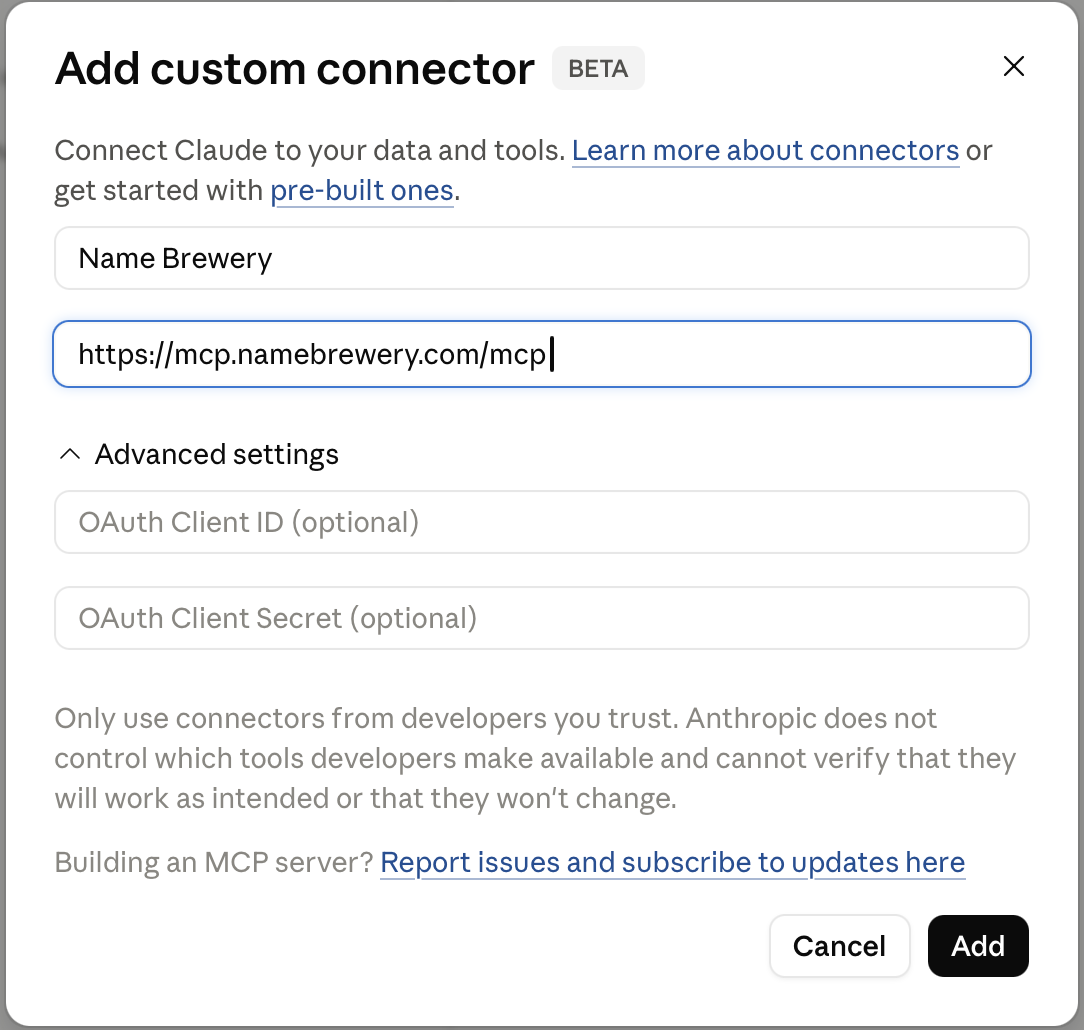
- Open claude.ai/customize/connectors and hit the + button.
- Name:
Name Brewery· Remote MCP server URL:https://mcp.namebrewery.com/mcp(leave Advanced settings empty). - Click Add, then Connect and sign in with Google, GitHub, or your email.
Free plans allow one custom connector.
Claude Code
claude mcp add --transport http namebrewery https://mcp.namebrewery.com/mcp
Cursor
- Settings → MCP → Add server.
- URL:
https://mcp.namebrewery.com/mcp
ChatGPT (Plus/Pro/Team)
- Settings → Apps → Advanced settings → enable Developer mode.
- Back in Apps, click Create.
- Name it and paste
https://mcp.namebrewery.com/mcp, then create.
Free ChatGPT doesn't support custom connectors. On Plus and up, Developer Mode unlocks the full tool set — saving favorites just asks for a one-tap confirmation.
Sign in with Google, GitHub, or your email when prompted — new accounts get 20 free credits, enough for up to 600 domain checks.
Troubleshooting
- The sign-in code email hasn't arrived.
- Give it a minute and check spam. If several codes arrive, use the newest one. Or skip email entirely — the consent page also offers Google and GitHub sign-in.
- "This sign-in session expired."
- The connection attempt sat too long. Start again from your MCP client: disconnect the connector, then connect and sign in.
- "Not authenticated — reconnect the MCP server."
- Your session lapsed. In your client's connector settings, disconnect Name Brewery and connect again.
- "Insufficient credits."
- The error names the cost of the call and your balance. Top up at namebrewery.com/credits; each credit covers a round of up to 30 checks.
- Results came back "Unknown."
- An upstream data source hiccuped. If most of a call returns unknown, the call is not charged — just run it again.
- The tools don't show up in my chat.
- Confirm the server URL is exactly
https://mcp.namebrewery.com/mcp, then remove and re-add the connector. On claude.ai, free plans allow one custom connector. - Something else.
- Email [email protected] or use the contact form — include the error text and roughly when it happened.
Pricing
1 credit = up to 30 domain checks. Signup includes 20 free credits — up to 600 checks. After that, $9 for 100 credits (3,000 checks) or $19/mo for 300 credits/month (9,000 checks).
Get creditsBuy links may earn Name Brewery a commission. Trademark links point to USPTO search and are not legal advice. See our privacy policy.